~/blog/networking/upgrading-netbird-server.md
Upgrading a self-hosted NetBird server without dropping peers
// tl;dr
Upgrading my selfhosted NetBird server is pull, recreate, check. The real risk was having no backup, so a weekly timer takes an online SQLite backup, verifies it and alerts on failure. After an upgrade I check for a 200 and a 401, remove orphaned proxy peers, and VACUUM monthly.
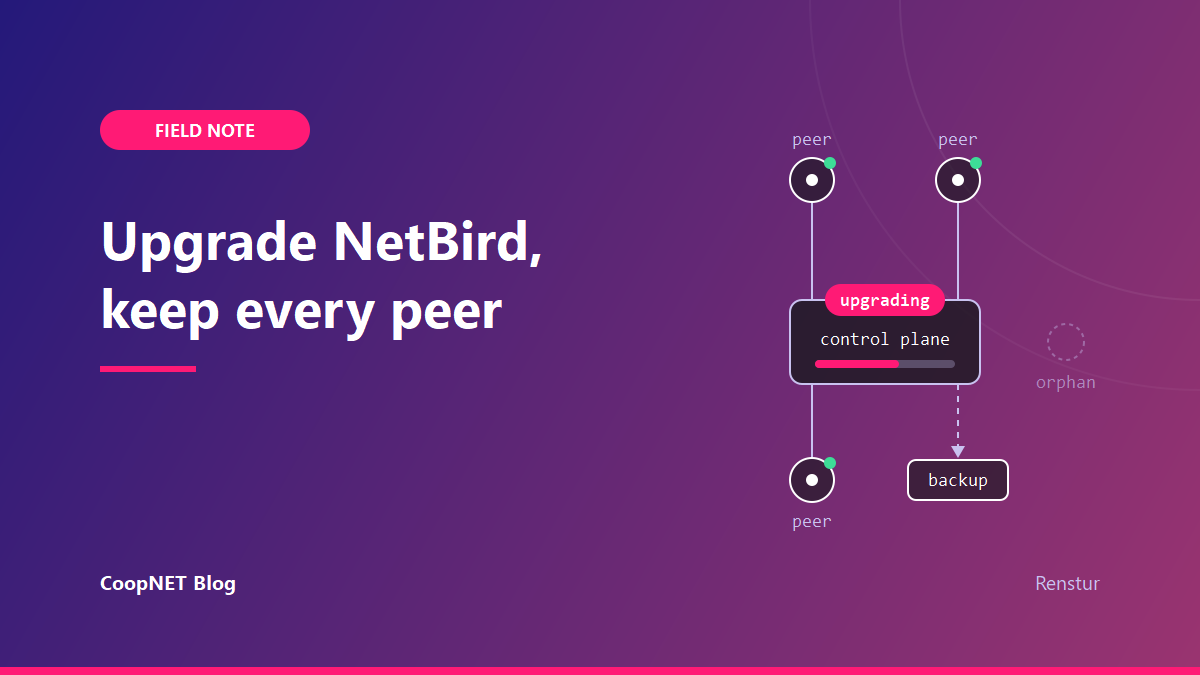
Upgrading my self-hosted NetBird server takes three commands: pull, recreate, check. The work that keeps peers connected is around them: a backup I can trust, a check that the stack came back, and cleanup after each restart.
As of this writing, 23 October 2026, the current release is NetBird v0.81.3, out on 19 October. It's a client Signal-stream fix and a quic-go bump. Nothing breaking.
What the server looks like
The control plane is NetBird's official self-hosted Docker stack on a small public Linux VM. Traefik sits in front, then the combined netbird-server container (management, signal, relay and STUN), the dashboard, NetBird's reverse proxy and CrowdSec.
The state lives in one named volume holding /var/lib/netbird, which is the SQLite store, plus config.yaml next to docker-compose.yml.
A backup taken without stopping the server
For months the only backup was one manual tarball. No timer. On the box that holds every peer identity and policy, that was the real risk.
A weekly script does it now, without stopping anything. The store is written constantly, about 1.4 writes a second, with journal_mode=delete, so a plain cp can catch it mid-write. SQLite's online backup API takes a consistent copy instead:
python3 - <<'EOF'
import sqlite3
src = sqlite3.connect("<volume-path>/<store>.db")
dst = sqlite3.connect("<staging-dir>/<store>.db")
src.backup(dst)
dst.close()
src.close()
EOF
The script fails closed. An integrity_check on the snapshot, a row-count sanity check, gzip -t, a size floor and a manifest check all run before any old archive rotates out. A half-verified archive gets deleted, so it can never count as one of the five kept.
config.yaml goes in on purpose. The store encryption key lives there, and peer key material is unrecoverable without it. So the directory is 0700 and the archives 0600. The GeoLite and geonames databases (about 66 MB, re-downloadable) stay out.
The first run reported failure on a good archive. The check was:
set -o pipefail
tar -tzf "$ARCHIVE" | grep -q config.yaml
grep -q exits on the first match, tar gets SIGPIPE (exit 141) and pipefail reports it. Listing once to a file fixed it:
tar -tzf "$ARCHIVE" > "$LIST"
grep -q config.yaml "$LIST"
The box has no mail agent and no monitoring agent. A failure surfaces through an OnFailure= unit that logs at priority err, which journalctl -p err shows. I tested it with a /bin/false drop-in and the alert fired. A restore rehearsal passed too: the extracted store passes integrity_check and has the expected tables populated.
NetBird's backup page stops the services, copies with docker compose cp, then starts them again. That's simpler, and fine if a short outage is acceptable.
The three commands
These match the upgrade docs. First read the release notes and check the image: tags in docker-compose.yml, because docker compose pull downloads the configured tags and doesn't change them. Then:
docker compose pull netbird-server dashboard proxy
docker compose up -d --force-recreate netbird-server dashboard proxy
docker compose exec proxy /go/bin/netbird-proxy --version
Management and the proxy stay on the same version, and the docs say management goes first or together.
A NetBird upgrade doesn't touch Traefik or CrowdSec. I let Traefik track whatever NetBird's own compose file pins, so a log WARN about a newer Traefik release is expected and I leave it.
Checking that it came back
Two requests tell me most of it:
curl -s -o /dev/null -w '%{http_code}\n' https://netbird.example.lab/
curl -s -o /dev/null -w '%{http_code}\n' https://netbird.example.lab/api/users
200, then 401. The 401 means the API is up and answering an unauthenticated call. A 502 means Traefik has no backend. After that, Traefik's access log should show 200s on the ManagementService and SignalExchange gRPC paths.
That 502 has caught me before, when Traefik kept routing to the old netbird-server after a recreate. It's written up in Traefik 502 after a container recreate; pinning every container's address in the compose file is the fix that stuck.
Some boot noise is normal. On a parallel start the proxy logs a few ERRORs, CrowdSec LAPI refused and management dial failed, before everything is up. They clear on their own.
The identity-provider connector can also fail TLS at boot. The server resolves the IdP's hostname back through its own Traefik before the certificates load. It self-heals because the connector opens lazily; the authorize flow redirecting correctly confirms it. It matters because local login is disabled and SSO is the only way in. The setup behind that is in break-glass SSO behind a VPN.
Proxy peers that never leave
Every start of the reverse-proxy container registers a new ephemeral peer. They piled up at about one orphan per restart.
Ephemeral cleanup only collects peers it sees go offline. Mine were killed without a graceful shutdown, so every stale one still reads connected. Peers from a graceful recreate were reaped within minutes.
last_seen doesn't move for proxy peers, the live one included, and the dead ones claim to be connected. The proxy's own startup log knows which is real:
docker compose logs proxy | grep "proxy peer authenticated successfully"
The public_key in that line matches exactly one peer. That's the keeper. The rest go through the REST API:
curl -s -X DELETE -H "Authorization: Bearer $TOKEN" \
  https://netbird.example.lab/api/peers/<peer-id>
A GET on a proxy-owned peer returns 422, "not allowed to read peer". The DELETE returns 200 and works. Test it on the single oldest one, re-check, then loop.
The separate proxies session table cleans itself. The server logs "Cleaned up 1 stale proxies" about an hour after each proxy restart, so I leave it alone.
The CrowdSec bouncer I deleted by accident
cscli bouncers delete <name> matches by prefix. Removing one stale bouncer also took the per-IP bouncers, the live one included. The NetBird proxy fails closed with CrowdSec enforcement on, so every published service returned 403 within seconds.
Restarting the proxy alone didn't help. It just logged access forbidden. The key was still in proxy.env, so I re-registered the same key and restarted:
docker compose exec crowdsec cscli bouncers add <name> --key "$KEY"
docker compose restart proxy
Then wait for "CrowdSec bouncer synced initial decisions" in the proxy log.
A 1 GB store full of access logs
The SQLite store grew to about 1 GB. The growth was the reverse-proxy access log table and its indexes, plus a large freelist. The 7-day retention works, but SQLite never returns freed pages without VACUUM.
VACUUM roughly halved it, from about 1.0 GB to 0.56 GB, for about 5 seconds of downtime:
docker compose stop netbird-server
python3 -c "import sqlite3; c = sqlite3.connect('<volume-path>/<store>.db', isolation_level=None); c.execute('VACUUM')"
docker compose start netbird-server
Stop and start, never docker compose down and up: down removes the containers, and that's a much bigger event than a 5-second pause.
It's a monthly timer now, set to run shortly after the weekly backup. It aborts if there's no archive, the newest is over 24 hours old, or it fails gzip -t. It skips itself when less than 100 MB is reclaimable, so quiet months cost no outage. Afterwards it runs an integrity check, and restarts Traefik as a fallback if /api/users isn't 200 or 401 within 60 seconds.
What I'd tell myself
Put the backup on a timer and prove the failure alert fires before the first upgrade. The missing backup was the real risk, not the upgrade. The rest of the work was cleaning up after each restart.
$ ./ask --help
Stuck on something similar? Ask below and I'll try to help you work through it. It helps to include:
- --running hardware, OS, versions
- --tried what you've already tried
- --error the exact message, word for word
Comments are public, so leave out passwords, keys and public IP addresses.