~/blog/networking/docker-network-segmentation.md
Splitting one Docker host into network tiers
// tl;dr
Every container on my Docker host shared one bridge, so any app could reach the vault, the auth database and the mail relay. I split it into six networks, internal for the databases, with a /24 address pool. Always set the Compose project name on recreate or you get empty volumes.
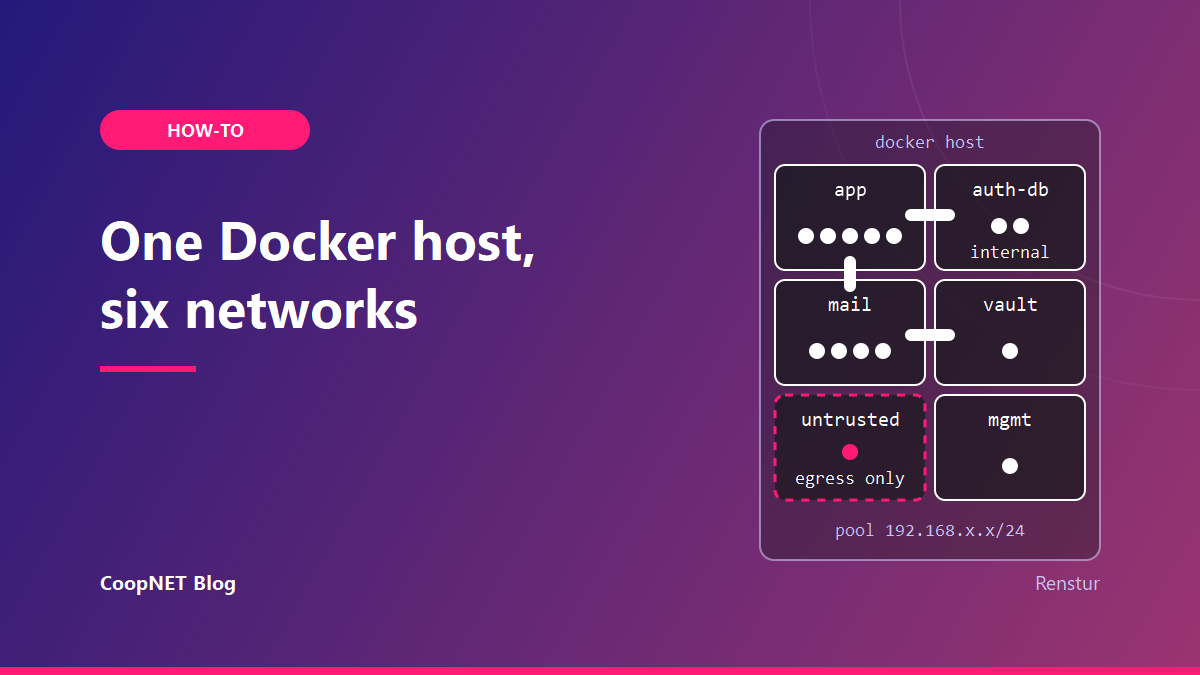
Until June 2026, every container on my main Docker host shared one bridge network. The password manager, the database behind Authentik, a Postfix relay and an ArchiveTeam Warrior that runs jobs handed to it by strangers could all reach each other.
On any port.
Docker's bridge docs say it plainly: containers on the same user-defined bridge effectively expose all their ports to each other. Isolation only exists between networks. So I split the one network into six, each holding only what needs to be there.
What a flat network was allowing
The app network had grown to about a dozen containers: n8n and its task runners, a diagram tool, a few small personal web apps, Watchtower, the Vaultwarden backup job, and the Authentik server and worker.
Authentik's PostgreSQL and Redis sat on that same network. So did Vaultwarden. So did Postfix, and its mynetworks trusted the whole app subnet, which meant any app container could relay mail through it. None of the apps had any reason to talk to the database, the vault or the relay. They just could.
The Warrior is the highest-risk container on the host. It's built to fetch whatever job it's given from the internet. That's fine in a box of its own and a bad neighbour for a password manager.
The six tiers
I named each network for its job. These are generic versions of mine:
| Network | Members | Egress |
|---|---|---|
| app | general apps, Authentik server and worker | yes |
| auth-db | Authentik PostgreSQL and Redis only | none (internal) |
| vault | Vaultwarden only | yes |
| Postfix plus the containers that send mail | yes | |
| untrusted | ArchiveTeam Warrior only | yes |
| mgmt | Portainer only | yes |
A seventh, IPv6-only network gives the app containers outbound IPv6. That's its own post.
The pattern behind the table is short. Each risky or sensitive thing gets a network of its own. A container joins a second network only when it has a concrete reason to talk to something there.
Databases on an internal network
Authentik's database and Redis never need the internet. In Compose, internal: true creates a network with no external connectivity, so that's where they went. The server and worker are multi-homed: they stay on the app network to serve logins and also join auth-db to reach their own backends.
A trimmed version of the Authentik stack's networks:
services:
  server:
    networks: [app, auth-db]
  worker:
    networks: [app, auth-db, mail]
  postgresql:
    networks: [auth-db]
  redis:
    networks: [auth-db]

networks:
  app:
    external: true
  mail:
    external: true
  auth-db:
    internal: true
    ipam:
      config:
        - subnet: 192.168.201.0/24
The app and mail networks are declared external because more than one stack uses them. Their lifecycle sits outside any single Compose project, so tearing down one stack doesn't try to remove a network other stacks still need.
That also means Compose won't create them for you. Make the shared ones once, before the first stack that references them:
docker network create --subnet 192.168.203.0/24 mail
docker network inspect mail --format '{{range .IPAM.Config}}{{.Subnet}}{{end}}'
The second line confirms the subnet you asked for is the one you got.
The worker is on three networks because it sends Authentik's email. More on that below.
The vault gets a room of its own
Vaultwarden sits alone on the vault network with normal egress. Its published port is bound to the host's overlay VPN address only, so it listens on the VPN and not on the LAN interface.
The backup job didn't need to move onto that network at all. It reads Vaultwarden's data volume directly, and volumes don't care about networks. That kept the vault network down to one container.
Mail: senders join the relay's network
Postfix moved off the app network onto a mail network. Every container that actually sends mail joins it as a second network: the Authentik worker, Watchtower and Vaultwarden.
Then I tightened Postfix. mynetworks now lists loopback and the mail subnet and nothing else. Containers on the mail network can relay. The app tier can't, because it can no longer reach Postfix and isn't trusted by it anyway.
Vaultwarden is the reason multi-homing matters here. Its SMTP host setting is just postfix, the container name. Docker's embedded DNS only resolves names for containers on a shared network, so joining mail is what makes that name work. I checked it the direct way: a connection to postfix on port 25 over the mail network returned Postfix's 220 banner.
One host-level tool, Beszel, still sends mail through a port published on the host's loopback address. It doesn't run on any of these networks, so that path stayed.
A DNS answer that looked wrong and wasn't
While checking the mail network, I ran the usual lookup from a container:
getent hosts postfix
It came back with a public IPv6 address. That was my domain's wildcard DNS record, most likely reached through the search domain.
The IPv4-only lookup gave the right answer:
getent ahostsv4 postfix
That returned the container's address on the mail network, and real connections went there too. It works because the mail network is IPv4-only and those containers have no IPv6, so the AAAA answer is never used.
What I measured: the two lookups disagreed, and connections reached the container. What I haven't proven is exactly which resolver step produced the AAAA answer. If you test name resolution with getent hosts on a host with a wildcard record, check ahostsv4 before you panic.
Untrusted means egress and nothing else
ArchiveTeam Warrior got its own network with outbound access and no neighbours. It can fetch its jobs. It can't see the app tier, Postfix or Vaultwarden.
In Compose terms it's one network with no other members. Cheap.
Portainer on a management network
Portainer was never part of a stack, so I recreated it standalone with docker run on its own network. It keeps the Docker socket mount, its published port and egress:
docker network create mgmt
docker run -d --name portainer --restart=always \
  --network mgmt \
  -p 100.64.x.x:9443:9443 \
  -v /var/run/docker.sock:/var/run/docker.sock \
  -v portainer_data:/data \
  portainer/portainer-ce:lts
The address and port above are placeholders; bind the port to whatever interface you manage from. The remote Docker environment I manage from Portainer reconnected through the published port.
The app tier can't reach it now. Anything with the Docker socket is effectively root on the host, so it shouldn't share a network with web apps.
Stop handing every new network a /16
Docker's default address pools hand out big subnets. I changed the daemon so every new network gets a /24 (254 hosts), which is plenty for a tier with one to five containers.
In /etc/docker/daemon.json:
{
  "default-address-pools": [
    { "base": "192.168.192.0/18", "size": 24 }
  ]
}
My real pool uses a different private block. Whatever you pick, make sure it doesn't overlap your LAN, your VPN overlay or any route your containers need. The daemon reads this file at start, so restart Docker afterwards. That stops every container; the ones with a restart policy come back on their own.
The pool only applies to networks created after the change. Existing networks keep their subnets until they're recreated. I also pinned each tier's subnet explicitly in Compose with ipam, so a recreate doesn't land somewhere new.
The app network is still on its old /16, on purpose. Re-subnetting it means stopping and recreating every container on it, and about a dozen services restarting for a cosmetic change wasn't worth it.
One firewall rule for the whole pool
My containers resolve DNS through a resolver on the host. With six networks, that could have meant six firewall rules. Because every network now comes out of one pool, one rule covers all of them:
ufw allow from 192.168.192.0/18 to 100.64.x.x port 53
Swap in your pool and the host address your resolver listens on. A network created next month is covered without touching the firewall.
The project name decides which volumes you get
The last trap is the one that can cost data.
Compose prefixes named volumes with the project name, and the project name defaults to the directory the Compose file sits in. Recreate a stack from a different directory, or through a different tool, and Compose creates brand-new empty volumes. The database container starts happily on an empty data directory.
So every stack I recreated got its project name stated explicitly:
docker compose -p authentik up -d
The -p flag has the highest precedence. A top-level name: in the Compose file also works and is harder to forget, since it travels with the file.
Before recreating anything with a database, I'd list the volumes and confirm the names match what the stack expects:
docker volume ls --format '{{.Name}}'
Testing it from both sides
I tested the closed paths from inside the containers, from both directions. App containers can't reach PostgreSQL, Redis, Vaultwarden, Postfix or Portainer. The Warrior can't reach the app tier, Postfix or Vaultwarden.
A quick probe looks like this:
docker exec <app-container> nc -zv -w 3 <target-ip> <port>
Plenty of slim images don't ship nc. If yours doesn't, run the probe from a throwaway container attached to the same network instead.
Two notes from doing it. A failed name lookup only proves that DNS doesn't cross networks; probe the target's IP as well, since that's the path an attacker would use. And in a Portainer-managed stack, the service key and the container name can differ, so make sure you're testing the container you think you are.
What I'd tell myself
The network definitions were the easy part. The two lines that protect you are the explicit project name on every recreate and the address pool, set before the first new network exists.
Config above checked against the Docker docs in October 2026.
$ ./ask --help
Stuck on something similar? Ask below and I'll try to help you work through it. It helps to include:
- --running hardware, OS, versions
- --tried what you've already tried
- --error the exact message, word for word
Comments are public, so leave out passwords, keys and public IP addresses.