~/blog/proxmox-storage/proxmox-backups-what-they-cover.md
My Proxmox backups covered less than I thought
// tl;dr
My Proxmox backups covered less than I thought: weekly jobs with keep-last=3 only reach back three weeks, the dump folder held another host's files, one host had no job at all, and root mail had gone nowhere for over a year. A real restore drill is next, and I haven't run it yet.
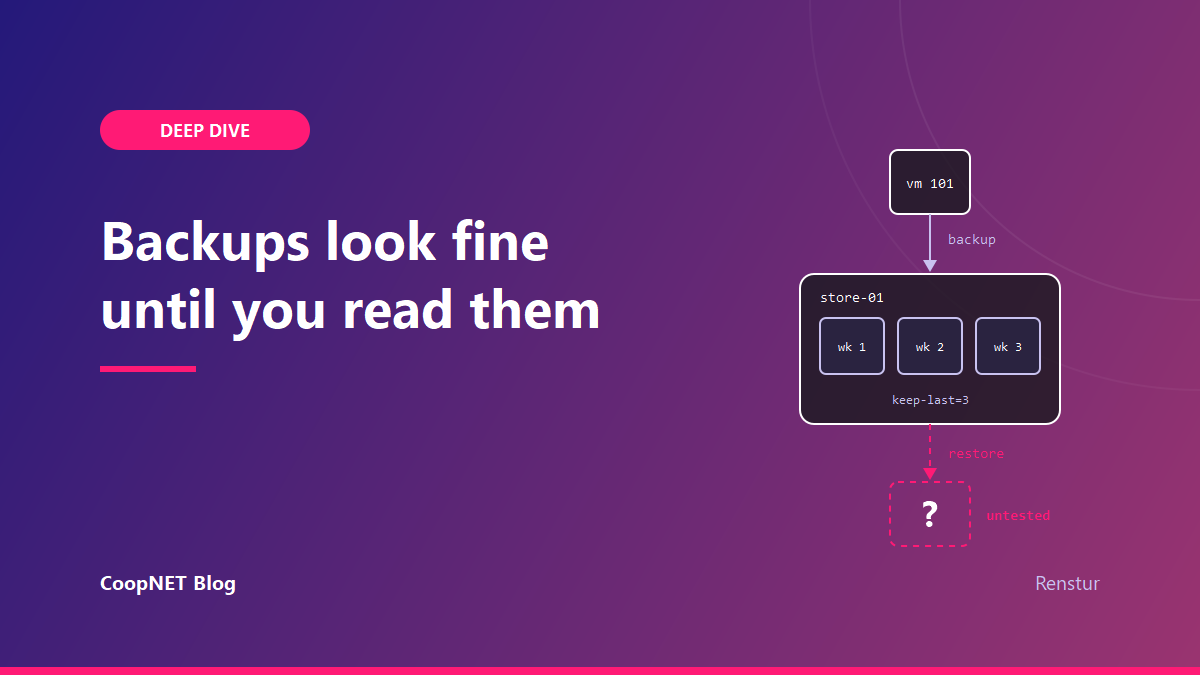
In September I sat down to check what my Proxmox backups actually covered. I read /etc/pve/jobs.cfg on both hosts, listed the dumps on the backup target, and followed the alert mail to see where it went.
They covered less than I thought, in four separate ways. None of them had ever shown up as an error.
Why I back up whole VMs
I back up at the hypervisor, not inside the apps. vzdump takes the whole VM, so a guest's database, config and odd little volumes come along whether I remembered them or not. I don't run separate Postgres dumps or per-container snapshots for data protection. That's a choice I made for my lab. If you run lots of apps on one VM and want to roll back just one of them, per-app backups earn their keep. I mostly want whole machines back.
I run two standalone Proxmox hosts, pve-01 and pve-02, and one backup target, store-01. Backup jobs are weekly and use zstd. Some run in stop mode, which costs a short bit of downtime. Others use snapshot mode, which copies the disks while the guest keeps running. With the QEMU guest agent enabled, Proxmox freezes the guest filesystem for a moment first, so the copy is more consistent.
Weekly jobs with keep-last=3 means three weeks
Every job had keep-last=3. Weekly jobs, three copies. Three weeks.
That's obvious once it's written down. It wasn't obvious while I was thinking of it as "backed up". If something broke quietly a month ago, say a bad config or a slowly corrupting file, every copy I have already contains it.
I put the window on the wiki page for the servers, in plain words, so "it's backed up" stops getting read as "recoverable forever". Mostly by me.
The second catch was on pve-01. Its backup storage has nicer retention configured: seven dailies, four weeklies, three monthlies. I assumed that applied. It doesn't, because the job sets its own prune-backups keep-last=3 and the job wins. The real window there is also three weeks.
If retention is set in two places, check which one Proxmox is using before you trust either.
The dump folder had other hosts' files in it
A share on store-01 has a dump/ folder full of vzdump-qemu-<vmid>-... files. I read the listing as an inventory. VMID 101 is there, dated last month, so 101 is covered.
Except more than one node has written to that share, and VMIDs aren't unique across standalone Proxmox hosts. Two hosts can each have a VM 101 that are different machines. Several files I was reading as one host's guests had been written by the other host, for guests that no longer exist.
Each backup can carry a notes file beside it, and the job can fill it in for you. On the job:
notes-template {{guestname}}
Now each new dump says what it was. A few old files also had a .protected marker. Those are archives I kept on purpose before decommissioning machines, so pruning can't remove them. They say nothing about a schedule.
ls dump/ isn't a list of what's protected. Read the notes file beside each dump, and compare against qm list on the node before calling a guest covered.
A backup storage with no job writing to it
pve-01 had a backup storage defined, retention set, plenty of space. It looked finished. Its dump/ folder was empty. There was no backup job for that host at all, and there never had been.
I fixed it with one job per guest, staggered across weeknights so they don't all hit the same disks on the same night.
backup=0 on a VM disk keeps that disk out of the archive. I use it on one guest's large data disk, so only the boot disk goes into the backup. Anything excluded that way needs its own protection, or you've decided it can be lost.
Reading half a file
While checking this I got one wrong. I ran cat /etc/pve/jobs.cfg | head -20, saw one job, and decided a guest wasn't covered. It was. head had cut off two of the three job blocks.
head and tail are fine for looking. They're no good for concluding something is missing. For backup jobs, ask the API instead:
pvesh get /cluster/backup --output-format json-pretty
That returns every job with its schedule and next run, so "no dump yet" and "no job" stop looking alike.
Where the alert mail was actually going
I assumed a failed backup would email me. It turned out local mail on the hosts was broken in more than one way, and I'd never noticed because one kind of mail still got through.
Backup notifications reached me, which made everything look fine. Proxmox notifications can speak SMTP directly and skip the local mail system. Everything that went through plain sendmail, like ZFS event alerts, cron and SMART warnings, was being thrown away.
The worst one: /etc/aliases had a correct line forwarding root to me, but the compiled alias database was older than the edit. newaliases had never been run. Root mail had gone nowhere for over a year.
A Proxmox node has two separate mail paths, the notification system and local postfix. Fixing one doesn't touch the other. The test that tells you anything goes through the real path:
pvesh create /cluster/notifications/targets/<target-name>/test
Then check that the message lands. A clean exit from the command proves nothing on its own.
While I was in there I found neither ZFS pool on pve-01 had ever been scrubbed. The monthly scrub timer was there; nobody had enabled it. It's on now. A scrub is what finds silent corruption before three weeks of backups copy it.
The restore I still owe
None of the above proves a backup works. Only a restore does, and I haven't run one yet.
Every fix in this post makes the backups more likely to be real. None of them proves a single one. So this is the drill I'm running next, written down first so I can't quietly skip the awkward steps:
- Pick one guest, and a different one each time.
- Before booting, disconnect its network or move it to an isolated bridge. A copy with the same hostname and IP as a live machine is its own outage.
- Boot it and check what it's for. Not "it boots". Can I log in, does the service start, is last week's data there.
- Time it, start to usable. That number is the real answer to "how long would I be down".
- Delete the copy and write the date and result on the wiki next to the retention note.
Restore its newest backup to an unused VMID so the original keeps running:
qmrestore /path/to/vzdump-qemu-101-<date>.vma.zst 901 --unique
--unique gives the copy new MAC addresses so it doesn't fight the original on the network.
What I checked and what I didn't
Checked in September 2026. The commands here match the current Proxmox VE 9.2 docs.
- every backup job, read in full and through
pvesh get /cluster/backup - the dumps on disk and the notes file beside each one
- alert mail on both hosts, with a test sent through the notification path and checked in the delivery logs, not just the exit code
- the scrub timers, now enabled on both pools
Not checked: a restore. No backup here counts as proven until the drill above has a result next to it.
What I'd tell myself
"Backed up" was something I said, not something I'd checked. Read the jobs in full, read the notes beside the dumps, send a test alert through the real path, and restore one guest before saying it again. That last step is the one I still owe.
$ ./ask --help
Stuck on something similar? Ask below and I'll try to help you work through it. It helps to include:
- --running hardware, OS, versions
- --tried what you've already tried
- --error the exact message, word for word
Comments are public, so leave out passwords, keys and public IP addresses.