~/blog/proxmox-storage/proxmox-datacenter-manager-worth-it.md
Is Proxmox Datacenter Manager worth it for a small setup?
// tl;dr
Two Proxmox hosts in different places make a nervous cluster, because corosync wants a fast, steady link. I went standalone and put Proxmox Datacenter Manager in front. Worth it, as long as API tokens get their own ACL line and the OpenID realm has no type line.
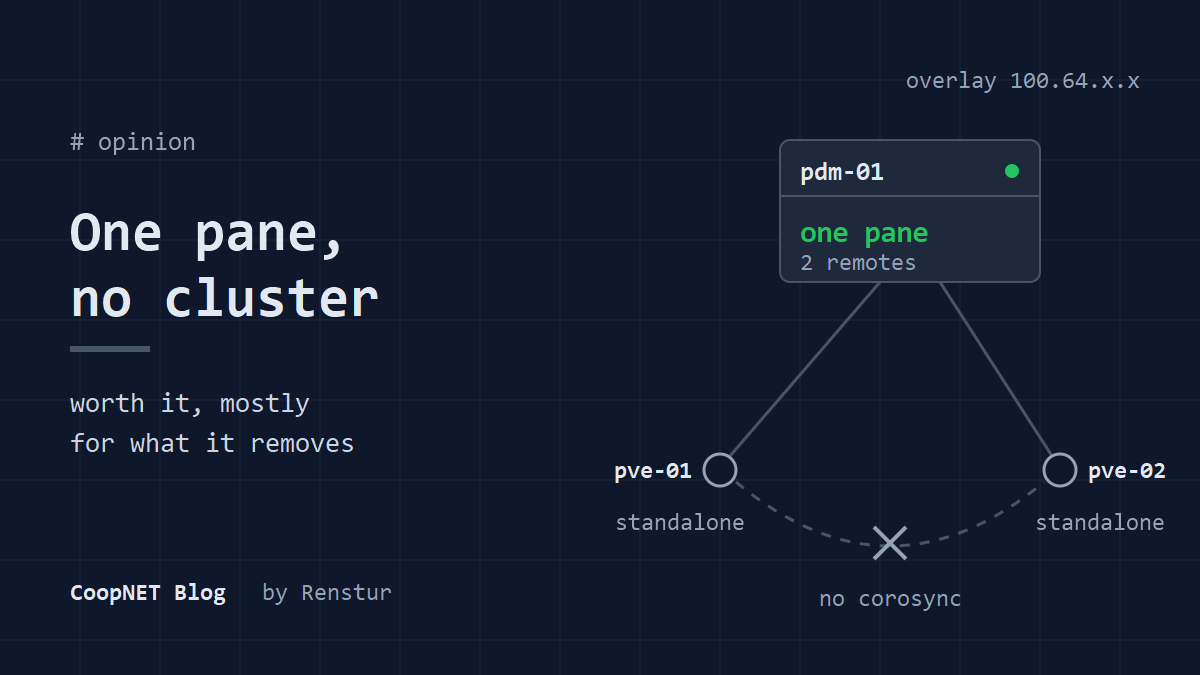
I run two Proxmox VE hosts in two different places, and for a while they were one cluster. I tore the cluster down and put Proxmox Datacenter Manager (PDM) in front of them instead. For my setup it was the right trade, with a handful of sharp edges along the way.
What I wanted from the cluster
A Proxmox cluster runs on corosync, and corosync wants a low latency, stable link between every node so it can hold quorum. My two hosts talk over a NetBird overlay between sites. That's a fine link for SSH and backups. It's a nervous one for quorum.
When I was honest about it, I wasn't using the cluster for much. I wanted one screen that showed both hosts, their guests and their load. That's it.
PDM gives me that without joining the nodes. Each host stays standalone, and PDM talks to it as a remote over the Proxmox API. There's no corosync ring and no quorum to lose.
What I'm running
PDM lives in a small VM on one of the two hosts: 2 vCPU, 4 GB of RAM and a 32 GB disk, built from a Debian 13 cloud image. The 1.0 release went stable in December 2025 and 1.1 followed in May 2026, so I stopped thinking of it as a beta.
proxmox datacenter manager: 1.1.7
proxmox ve: 9.2
pdm vm: Debian 13 cloud image, 2 vCPU, 4 GB RAM
sso: Authentik over OpenID Connect
checked: September 2026
It reaches both hosts over the overlay (the same way I reach other LAN only services, see NetBird private services). Each host has a Proxmox API token for PDM. Login goes through Authentik over OpenID Connect, like the hosts themselves (Proxmox VE login with Authentik over OpenID Connect).
Where it earns its place
The hosts don't depend on each other anymore. If one site drops, the other doesn't care. If the PDM VM is down, both hosts keep running and each still has its own web UI.
Day to day, I open PDM instead of two browser tabs. The resource view lists guests from both hosts in one place, and the API gives scripts a single endpoint. /resources/list is the path I actually use. /remote returns a 404 on GET, which confused me for a minute.
The setup traps
None of these are hard once you know them. Each one cost me time because the failure looked like something else.
The token needs its own permissions
PDM's API header has its own scheme, and the secret follows a colon:
Authorization: PDMAPIToken=user@authentik!api:<secret>
PVEAPIToken= and PBSAPIToken= are rejected.
I gave my user the Administrator role and expected the token to inherit it. It doesn't. The token could read the version and nothing else:
$ curl -s -o /dev/null -w '%{http_code}\n' -H 'Authorization: PDMAPIToken=user@authentik!api:<secret>' https://pdm-01.example.lab:8443/api2/json/version
200
$ curl -s -o /dev/null -w '%{http_code}\n' -H 'Authorization: PDMAPIToken=user@authentik!api:<secret>' https://pdm-01.example.lab:8443/api2/json/resources/list
403
That looked like a broken token. It was a missing grant. A token is a separate principal and needs its own ACL line:
acl:1:/:user@authentik:Administrator
acl:1:/:user@authentik!api:Administrator
The roles I've used are Administrator and Auditor.
Take the fingerprint from the live connection
Adding a remote needs the host's TLS fingerprint. The usual advice is to read it from pve-ssl.pem. One of my hosts has a custom certificate in pveproxy-ssl.pem, and pveproxy serves that one, so the file's fingerprint never matched. The other host has no custom cert, which hid the pattern.
Ask the running service instead:
echo | openssl s_client -connect <host>:8006 2>/dev/null | openssl x509 -noout -fingerprint -sha256
Then add the remote with that value:
proxmox-datacenter-manager-admin remote add --id pve-02 --type pve \
  --authid 'root@pam!pdm-remote' --token <secret> \
  --nodes "hostname=100.64.x.x,fingerprint=<fingerprint>"
One extra line in the realm kills login
The OpenID realm lives in /etc/proxmox-datacenter-manager/access/domains.cfg. Mine looks like this, trimmed:
openid: authentik
	issuer-url https://auth.example.lab/application/o/pdm/
	username-claim preferred_username
	autocreate true
	scopes openid email profile
The pam and pdm sections in the same file carry a type line, so I copied that pattern. For openid the section header already sets the type. The extra line gave unknown property 'type' and crashed proxmox-datacenter-privileged-api on start.
The other service, proxmox-datacenter-api, stayed up. The UI kept answering HTTP 200. Everything looked healthy, and nobody could log in.
Two more SSO notes. PDM has no groups claim, so Authentik groups don't map to anything. Every SSO user needs an explicit ACL grant. And on the Authentik side, a provider I created through the Authentik API came out with an empty grant types list. Authorize failed with "The request is otherwise malformed", which names nothing. Setting authorization_code and refresh_token explicitly fixed it.
The paid repo is on by default
The installer adds the paid subscription repo next to the no subscription one. Without a subscription, every apt update gets a 401 from it. I commented it out.
The dashboard also shows a subscription status of invalid: "Too many remote nodes without active basic or higher subscription". That's the free tier talking. The UI is a compiled WASM bundle, so the usual Proxmox nag patch has nothing to edit. I left it alone.
If you build it from a cloud image
Two cloud-init habits cost me full rebuilds. Cloud-init runs once per instance ID, so a NIC or --cicustom added after the first boot is silently ignored. And --cicustom user=... replaces Proxmox's generated user data, which drops --ciuser and --sshkeys. The VM boots, takes its network config, and won't accept your key.
Set everything before the first qm start, and put ssh_authorized_keys inside the snippet.
My verdict
For two standalone hosts in different places, yes. The best thing PDM did for me was let me delete the cluster.
The costs are real but small. It's one more VM to patch. Permissions are per user and per token, with no group sync. And the first setup has the traps above, none of which throw a clear error.
I can't say much about the other case, a few nodes on one LAN with a healthy cluster already. Mine was two sites, and that's where it paid off.
What I'd tell myself
Write the token's ACL line in the same edit as the user's. And after touching domains.cfg, check both PDM services, not the login page.
$ ./ask --help
Stuck on something similar? Ask below and I'll try to help you work through it. It helps to include:
- --running hardware, OS, versions
- --tried what you've already tried
- --error the exact message, word for word
Comments are public, so leave out passwords, keys and public IP addresses.