~/blog/identity-sso/proxmox-authentik-sso.md
Logging into Proxmox with Authentik
// tl;dr
I added Authentik as an OpenID realm on Proxmox. Proxmox appends the realm to every group name, so the ACL goes on the suffixed name or users log in with no permissions. It also sends the redirect URI without a slash and adds openid itself. I kept the local root login.
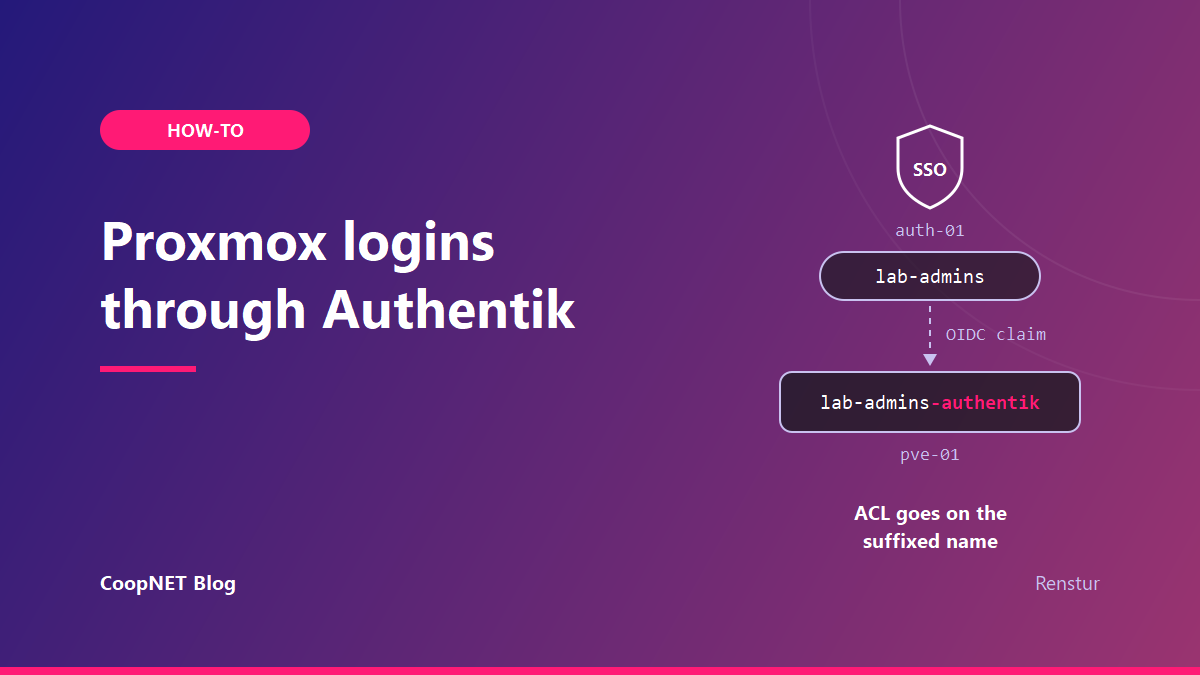
I joined my Proxmox host to Authentik with an OpenID Connect realm, and the first login landed as Administrator at /. That only worked on the first try because I'd read the Proxmox group-mapping code beforehand.
The realm itself is one command. Around it sit four traps, and none of them throws a useful error.
The Authentik side
In Authentik I created an OAuth2/OpenID Connect provider and an application with the wizard. Note the application slug, the client ID and the client secret. Proxmox needs all three.
Two settings on the provider matter more than the rest. I picked a signing key and left the encryption key empty, so the ID token is signed but not encrypted. With no encryption key the discovery document advertises RS256 for signing and no encryption algorithms at all. The JWKS endpoint then holds a single RSA key marked use: sig.
I also attached only the three managed default property mappings. I had a custom duplicate of the email mapping lying around from another app's provider, and I kept it off this one on purpose.
The redirect URI gets its own section below. It deserves one.
The Proxmox realm, in one command
The issuer URL is Authentik's per-application path, ending in the slug and a slash. I added the realm from a shell on the node:
pveum realm add authentik \
  --type openid \
  --issuer-url https://auth.example.lab/application/o/<app-slug>/ \
  --client-id "<client-id>" \
  --client-key "<client-secret>" \
  --username-claim preferred_username \
  --scopes "email profile" \
  --groups-claim groups \
  --groups-autocreate 1 \
  --groups-overwrite 1 \
  --autocreate 1
Proxmox uses OIDC discovery on the issuer URL, so it finds the authorize, token and key endpoints by itself.
The username claim is the setting I'd change first if I were copying someone else's config. Left at its default, Proxmox builds the username from the subject claim. Many providers fill that with a long random string, so users end up named something like a3f9c1e7b2d4@authentik. Unique, and useless when you're reading an ACL list.
I pointed it at preferred_username instead, which Authentik fills with the account's username. The Proxmox wiki's warning applies here: only map a claim the provider guarantees is unique. Authentik usernames are unique, so this one is safe. An email claim would work too, as long as no two accounts can share an address.
With --autocreate 1, the Proxmox user is created at the first successful login. There's nothing to pre-create, and nothing to delete by hand when someone leaves. Disable them in Authentik and they can't start a new session.
The realm becomes part of every user ID. That means a local account and an SSO account with the same name don't collide:
| User ID | Where the password lives |
|---|---|
root@pam |
the host's Linux accounts |
jdoe@pve |
Proxmox's own user store |
jdoe@authentik |
Authentik |
The last two are separate users with separate permissions. I kept it that way.
Proxmox renames every group it receives
This trap is the quietest of the four. Proxmox appends -<realm> to every group name in the OIDC claim. You can see it in PVE/API2/OpenId.pm, and both the Proxmox wiki and Authentik's integration guide document it.
So the Authentik group lab-admins arrives in Proxmox as lab-admins-authentik. If you put the ACL on plain lab-admins, that group never gets members. The user logs in fine and sees nothing.
Zero permissions. No error.
The ACL has to target the suffixed name:
pveum acl modify / --group lab-admins-authentik --role Administrator
I found this reading the Perl before the first login, not while debugging a broken one. That's the only reason the first login worked.
Three side effects of my group settings are worth knowing.
With groups-overwrite on, Proxmox removes all of the user's groups on every login and rebuilds them from the token. If you hand-add a Proxmox group to an @authentik user, it's gone at the next sign-in. Membership lives in Authentik now, and only there.
Authentik's default profile mapping sends every group the user belongs to, not just the Proxmox ones. With groups-autocreate on, my unrelated household groups showed up in Proxmox too. They're harmless, since no ACL points at them. Authentik's guide suggests application entitlements as the group source instead, which would send only groups you create for Proxmox. I'm still on the plain groups claim.
Two of my Authentik groups have spaces in their names. Proxmox logs that they contain invalid characters and skips them. I expected that to break the login. It doesn't. The login succeeds and those two groups just aren't mapped.
Checking the first login from the shell
The Proxmox login page gets a realm dropdown once the realm exists. Pick authentik, and the button sends you to Authentik and back.
After that first sign-in, I'd rather check the result from a root shell than trust the web UI. List the users and groups Proxmox now knows about:
pveum user list
pveum group list
The @authentik user should be there, and so should every group from its token, each with the -authentik suffix. That includes the groups you never meant to send.
Then ask Proxmox what that user can actually do at the root of the tree:
pveum user permissions jdoe@authentik --path /
If that comes back empty, the ACL is on the wrong group name. Go back one section.
Proxmox sends the redirect URI without a slash
You can see exactly what Proxmox will send by asking it for the auth URL:
pvesh create /access/openid/auth-url --realm authentik --redirect-url https://pve-01.example.lab
The redirect_uri in the result is the bare origin, with no trailing slash. Authentik's redirect URIs are strict matches. Register only the version with a slash and the login fails at the authorize step.
I registered both forms. I did it for the hostname, and again for the raw IP address I use when DNS is the thing that's broken.
There's a cheap way to prove Authentik checks this before any login page appears, without opening a browser. Send an authorize request and look only at the status code:
curl -s -o /dev/null -w '%{http_code}\n' \
  'https://auth.example.lab/application/o/authorize/?response_type=code&scope=openid&client_id=<client-id>&redirect_uri=https://pve-01.example.lab'
With a bogus redirect_uri it returned 400. With a bogus client_id it also returned 400. The correct pair returned 302, a redirect into the login flow. Three requests, and I knew the registration was right.
An empty client ID breaks the realm for good
My first pveum realm add went in with an empty --client-id. Proxmox accepted it and wrote a realm section it couldn't parse afterwards. Every later pveum realm modify failed with this:
cannot lookup undefined type
The CLI can't repair that section. The fix is to remove it from /etc/pve/domains.cfg by hand and add the realm again. /etc/pve is the cluster filesystem, so I worked on a copy and moved it back into place within /etc/pve:
cp /etc/pve/domains.cfg ~/domains.cfg.before-fix
cp /etc/pve/domains.cfg /etc/pve/domains.cfg.new
mv /etc/pve/domains.cfg.new /etc/pve/domains.cfg
The empty value wasn't a typo. The client ID came from a shell variable that a small local helper script filled in. A path mismatch between my Windows tooling and the shell made that script fail, the substitution captured an empty string, and the ssh heredoc passed --client-id "" without complaint.
Now any script that writes cluster config checks its inputs on the node before it runs:
# on the node, before pveum touches anything
echo "client-id length: ${#CLIENT_ID}"
[ -n "$CLIENT_ID" ] || { echo "client-id is empty, stopping"; exit 1; }
A length of zero would have saved me the hand edit.
Proxmox adds openid to the scopes itself
The scope list Proxmox sends always starts with openid, whether you list it or not. I first set --scopes "openid profile email" and the request went out as this:
scope=openid+openid+profile+email
Set --scopes "email profile" and let Proxmox add the rest.
Keeping a way in that skips Authentik
I didn't remove a single local admin. root@pam stays, and so does a local @pve account with Administrator at /. The Proxmox docs are explicit that root can always log in through the Linux PAM realm.
That fallback matters more for me than for most. Authentik runs in a VM on this very hypervisor. If the host has a bad day, SSO goes down with it, and SSO is how I'd log in to fix it. I wrote up the whole recovery side in break-glass access when your SSO lives behind your VPN.
I also kept a backup of the realm config before every edit.
What I actually verified
- A real login, read from the Proxmox log: a successful openid auth for the
@authentikuser, with full Administrator effective at/. - The 400, 400 and 302 responses from the authorize test.
- The group suffix, in the Proxmox code and in both vendors' docs.
Behavior was seen in October 2026. The current releases then were Proxmox VE 9.2 and Authentik 2026.8.
What I'd tell myself
Put the ACL on the suffixed group name before the first login, and register the redirect URI with and without the slash on day one. Then check every variable's length before a command that writes to /etc/pve.
Names and addresses are changed. Everything else happened.
$ ./ask --help
Stuck on something similar? Ask below and I'll try to help you work through it. It helps to include:
- --running hardware, OS, versions
- --tried what you've already tried
- --error the exact message, word for word
Comments are public, so leave out passwords, keys and public IP addresses.