~/blog/automation-linux-2/ansible-from-semaphore.md
Running Ansible from Semaphore
// tl;dr
Semaphore runs my Ansible playbooks on a schedule and keeps every run's output. What made it stick was pinning the image tag, keeping inventories as files in git, making the target a required survey variable, excluding the controller host, and starting a new run after a fix instead of a rerun.
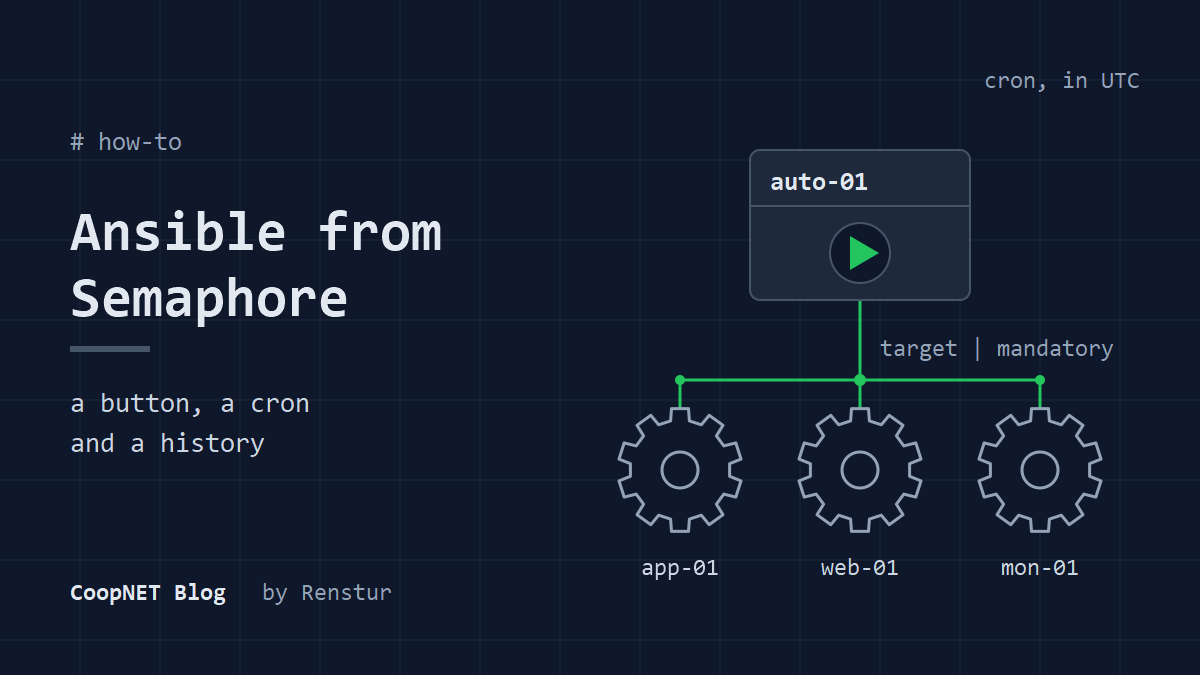
My Ansible playbooks run from Semaphore UI now. Weekly patching with a reboot, a nightly NetBird agent update, and a baseline that keeps hosts in line, all on cron, all with their output kept.
Before that they ran when I SSHed somewhere and typed the command. Semaphore fixed that without turning into a project of its own. It's a web front end that runs ansible-playbook for you, keeps every run's log and fires templates on a schedule. It's one container plus a database.
This is how mine is set up, and the traps I hit getting there.
What Semaphore is made of
The UI and the API use the same small vocabulary, so it's worth learning once.
- A project holds everything else. I run one project for the fleet.
- A repository is the git repo your playbooks live in. Before 2.20, Semaphore keeps a separate clone per template and pulls it before every task.
- The key store holds SSH keys and become passwords. Inventories and repositories reference keys by entry, so a key never goes into a playbook.
- An inventory is the host list. It can be typed inline or point at a file in the repository.
- A variable group is a set of extra variables, environment variables and secrets handed to the run. Older builds and the API call it an environment.
- A task template ties all of that to one playbook. A task is one run of a template.
- A schedule is a cron expression attached to a template.
Everything below is one of those seven things.
Run it in Docker and pin the tag
The install is a compose file with the Semaphore container and a database. The one change I'd make to any example you find: don't use the latest tag.
I found that out the hard way, when the task output view turned into an endless loading skeleton and the logs filled with this:
gorp: no fields [workflow_run_id workflow_node_id artifacts] in type Task
Upstream has been pushing 2.18.x backports alongside 2.19.x releases. A 2.18 backport landed a couple of hours after a 2.19 release, latest went back to 2.18 on my host, and Watchtower pulled it that night onto a database already migrated by 2.19.
A restart wouldn't have helped. The older binary doesn't know the new columns.
The fix was to pin the exact version and take Semaphore away from Watchtower:
services:
  semaphore:
    # Pinned on purpose. latest can move backwards between release lines.
    # Bump by hand, and never below the version the DB is migrated to.
    image: semaphoreui/semaphore:v2.19.16
There's no floating v2.19 tag on Docker Hub, so pinning means bumping by hand. Also check Docker Hub before you bump. As of 3 November 2026, GitHub lists v2.19.18 as the latest release, but there's no v2.19.18 image yet. The newest image is v2.19.17.
Check which schema version the database is on before you pick a tag. The migrations table keeps one row per applied migration, so ask for the newest:
docker exec semaphore-db psql -U semaphore -c 'SELECT version FROM migrations ORDER BY upgraded_date DESC LIMIT 1;'
Leave -i off that one if it ever goes into a script piped over ssh ... bash -s. With -i, psql eats the rest of the script from stdin.
You can also see what an image is before you run it:
docker run --rm --entrypoint semaphore semaphoreui/semaphore:v2.19.16 version
On my build the suffix on the version string is the app commit. That's how I found out one newer point release reported the same commit on my host as the one before it, with refreshed OS packages.
Take a database dump before any bump. It's the only undo you get:
docker exec semaphore-db pg_dump -U semaphore semaphore | gzip > semaphore-db-$(date +%Y%m%d)-pre-bump.sql.gz
Keep inventories in git, not in the UI
Semaphore lets you type an inventory into a text box. I started that way and moved off it. Every inventory is now type file, pointing at a relative path in the repo like ansible/inventory/fleet.ini. The repo is the source of truth: I edit the file, push, and the next run pulls it.
That gives every host change a review, a history and a diff. I have three inventories that overlap (patching, monitoring and the overlay peers), and they have to stay in step. When a host's SSH port changes, it changes in all three in one commit.
I once considered a fourth inventory for a single template and dropped it. Three already need keeping in step. A host pattern needs no syncing.
Before pushing an inventory change, I check how Ansible will parse it, inside the Semaphore container so it's the same Ansible the runs use:
$ docker exec -i semaphore sh -c 'cat >/tmp/x.ini; ansible -i /tmp/x.ini patch-group --list-hosts' < ansible/inventory/fleet.ini
  hosts (3):
    app-01
    web-01
    mon-01
The -i on docker exec matters here. Without it stdin is dropped and you test an empty file.
Two habits came out of this. First, add a new host after the last host line of its group, not at the end of the section. One of my groups ends with a comment that introduces the next group, and a host appended there looks like it belongs to the wrong one.
Second, when reviewing a rename, check the address, not the label. A rename that leaves ansible_host untouched points the new name at the old machine. It reviews as cosmetic and nothing fails. The damage only shows up when a scheduled patch reboots the wrong box.
Target hosts with a required survey variable
Every template that can touch more than one host takes its target from a survey variable, and the play refuses to run without it:
- name: System baseline
  hosts: "{{ target | mandatory }}"
  serial: 5
Survey variables reach Ansible as extra vars by default. The run dialog prompts for target, and I type a host, a group or all. Blank fails closed. I went this way because the built-in limit field didn't apply --limit on the build I was running at the time, which I wrote up in Semaphore's task limit does nothing.
The survey variable works from the API too, which is how I trigger one-off runs from scripts. The task endpoint takes an environment field as a JSON string, and on my build that's where the survey values go:
curl -s -X POST https://auto-01.example.lab/api/project/<project-id>/tasks \
  -H "Authorization: Bearer $SEMAPHORE_TOKEN" \
  -H "Content-Type: application/json" \
  -d '{"template_id": <template-id>, "environment": "{\"target\":\"web-01\"}"}'
One host never belongs in any pattern: the box Semaphore runs on. Ansible runs inside the container, so SSH to its own host arrives from the Docker bridge instead of the overlay. My host firewall only accepts SSH on the overlay interface.
It times out. Every time.
In my runs, one unreachable host marks the whole Semaphore task as an error, even when every real target succeeded. So any pattern that might expand to everything excludes the controller unconditionally:
hosts: "{{ target | default('monitored') }}:!auto-01"
The controller patches itself with systemd timers on the host instead. The box running the updates shouldn't be rebooting itself mid-run anyway.
Schedules, history and the rerun trap
Schedules are plain cron on a template, and Semaphore evaluates them in UTC unless you set SEMAPHORE_SCHEDULE_TIMEZONE. I left mine on UTC, and the repo README says so up front, because the one thing on the box that isn't UTC is Watchtower. I keep a window clear so a nightly agent update and an image pull never land on the same minutes.
Every task keeps its full output, and the survey values it ran with sit in its environment. When a run fails, the answer is usually in that log by the time I look.
One history behavior bit me early on. On my build, rerunning a failed task reuses the original task's commit, not the branch head. I pushed a fix and hit rerun 97 seconds later. The log fetched my new commit and then checked out the old one.
Same bug, faithfully re-run.
After pushing a fix, start a new run from the template. Don't rerun.
To confirm what code a run used, the per-template clones live under /tmp/semaphore inside the container, which is the default temp path. Compare git show origin/main:<path> against the checked-out file. Be careful in there: in my setup those clones carry the repo token in the remote URL, so git remote -v prints a live credential.
Secrets and two Ansible traps
SSH keys and become passwords go in the key store. Everything else goes through variable groups. The plain variables in a group come back readable through the API, so I treat them as config that's better than git, not as a vault. Values on a group's Secrets tab are different: the API doesn't return them, and they reach Ansible in a Vault-encrypted file. Even so, anything that can't stand being read by someone with project access lives somewhere else.
Two Ansible traps only showed up once Semaphore started running things fleet-wide.
run_once plus a when guard is the first. run_once executes on the first host of each batch, so with serial: 5 that's once per five hosts, and the when is evaluated against that host. My first host had no Docker, so a staging step guarded by "Docker exists" was skipped for that whole batch. Every host in it that did have Docker then failed looking for a file that was never fetched.
Earlier runs had passed only because they were single-host runs against hosts with no Docker. Put run_once staging tasks at the top level, unguarded, and keep only the per-host work behind the condition.
The second: if your playbooks reach hosts over a VPN overlay, upgrading the overlay agent cuts the connection Ansible is using. Fire that upgrade detached with async and poll: 0, then wait_for_connection before checking the result. The rest of what I do to keep one wedged host from stalling a run is in Stop Ansible hanging on a reachable host.
What I'd tell myself
The playbooks didn't get better. They just started running. Patching happens weekly, agent updates happen nightly, and when something breaks there's a log with a timestamp instead of my memory of a terminal I closed.
Pin the image before the first update, not after the downgrade. Put inventories in git on day one. Make target required, exclude the controller, and start a new run after every fix.
How sure I am
Checked against Semaphore's docs, its API spec and Docker Hub: file inventories with a repo path, the pull before each task, survey variables as extra vars, the environment field on the task endpoint, UTC schedules, the missing floating v2.19 tag, the /tmp/semaphore default, and Secrets not coming back over the API. The run_once batch behavior is in Ansible's docs.
Observed on my own host and not in any docs I found: the no fields errors after the downgrade and their absence after pinning, limit-tagged runs going fleet-wide, the rerun checking out the old commit, one unreachable host failing the whole task, the token in the clone URL, and two point releases reporting the same commit.
Not checked: why latest moved back to 2.18. Docker Hub only shows where tags point now, not where they pointed back then, so that part is my reading of push times. I also haven't checked whether the limit field is still broken on current releases.
semaphore: v2.19.16 (Docker)
ansible: 13.5.0
ansible-core: 2.20.10
python: 3.12.15
database: PostgreSQL
Names and addresses are changed. Everything else happened.
$ ./ask --help
Stuck on something similar? Ask below and I'll try to help you work through it. It helps to include:
- --running hardware, OS, versions
- --tried what you've already tried
- --error the exact message, word for word
Comments are public, so leave out passwords, keys and public IP addresses.