~/blog/services/checkmk-monitoring-over-netbird.md
Monitoring every box with Checkmk over NetBird
// tl;dr
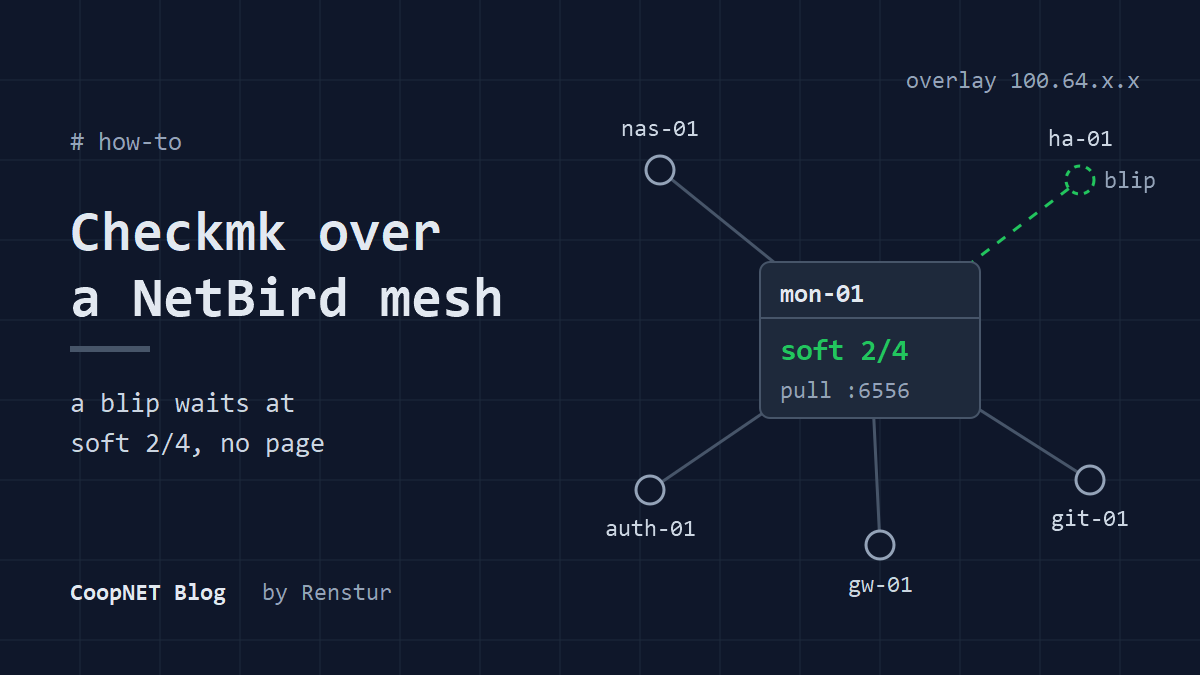
Checkmk over a NetBird overlay paged me for every tunnel blip because my checks were sized for a LAN. Four check attempts with a 1 minute retry, ping levels of 2 and 5 seconds, and looser error levels on the wt0 interface turned constant noise into alerts worth reading.
Over 14 days, Checkmk raised about 2,200 alerts for interface errors on wt0. That's the NetBird tunnel interface, and it was being held to error levels built for a copper NIC.
I run one Checkmk server that watches every box I own, across more than one site. None of those boxes expose an agent port to the internet. Agent traffic rides the NetBird overlay, the same mesh I already use for everything else. My Checkmk settings assumed a LAN, though, and an overlay isn't one.
I tried Beszel first, but it didn't have everything I wanted to monitor. The layout was great. I wanted more.
One server pulling over the overlay
The server is Checkmk 2.5 Community edition, running in Docker on mon-01. Three choices in the compose file matter:
- The image tag is pinned, so it only moves when I move it.
- It uses
network_mode: host. - One named volume holds
/omd/sites, which is the whole site.
There's no auto update label on it either.
Every monitored host runs the Checkmk agent and is a NetBird peer. The server pulls agent data from each host on port 6556, over the overlay. That path never touches the public internet, so there's nothing to forward and nothing to open on the edge router.
Registering agents over the overlay
The agent controller, cmk-agent-ctl, registers each host with the server and sets up TLS for the agent connection. To register, a host has to reach the server's REST API on 443 or 80 and its agent receiver, which sits on 8000 for the first site. Day to day, the data flows the other way: server to agent on 6556. That's the only mode Community edition has. Push mode is a Checkmk Ultimate feature.
The only thing specific to the overlay is the address. Register against the server's NetBird name or its 100.64.x.x address, not a LAN address that only works from one site. Same for the host entries in Checkmk. Each one gets its overlay address, so the server reaches it the same way no matter where it lives.
On the NetBird side, the policy only opens what each direction needs. The monitoring server's group can reach the agent port on the monitored hosts' group. The hosts can reach the server's web port and agent receiver port, for registration only. I'm not listing my exact rules, but that's the pattern.
If there's a routed network behind a peer, the same idea applies to the resource instead of the host. I covered how resources work in the post on LAN only services over NetBird.
The host firewall is what keeps the UI private
With host networking, the site's web server listens on every interface of the host. Not just the overlay one.
So the host firewall has to do the work Docker isn't doing. The pattern is simple: allow inbound traffic on the NetBird interface and drop the rest.
Host networking adds no isolation of its own, so I count that firewall rule as part of the monitoring setup. If it gets loosened, or the container moves to a box with a public address, the UI goes with it.
Three sources of noise and the rules that fixed them
Once every host was in, the alerts started and didn't stop.
I lived with the alerts for a few weeks. Then I dug into the deeper issues to make it stop reporting false positives.
When I measured it, three things were going on.
Interface errors on the tunnel
Checkmk monitors every network interface, wt0 included. My hosts had it on error levels of 0.01% for a warning and 0.1% for critical. That's reasonable for a physical NIC. On a WireGuard tunnel the numbers don't mean much, and they're where those 2,200 alerts came from.
The fix is a network interfaces rule that raises the error levels to 50% warn and 90% crit, scoped to the tunnel's item only. On my hosts wt0 always lands at the same item index, so the rule matches that index and leaves the real NICs alone.
I check the scoping before trusting it. cmk -D <host> prints the effective parameters per item, so I can see the tunnel picked up the new levels and the physical interface didn't.
One missed ping went straight to DOWN
The host check template Checkmk generated on my site had max_check_attempts set to 1 and a check every minute. A single missed ping went to a hard DOWN state and sent a notification. There was no soft state buffer at all.
Over 30 days I counted the host outages and how long each one lasted. 43% recovered inside 60 seconds. 75% recovered inside three minutes.
That pattern fits overlay churn. A peer redoes its WireGuard handshake, or a connection falls back to a relay for a moment, then comes back.
Ping levels sized for a LAN
My hosts were running ping thresholds of 200 ms round trip for a warning and 500 ms for critical. Healthy hosts on my overlay spiked anywhere from about 540 ms to 3 seconds.
I actually had a rule with looser ping levels already. It was tied to a wan host tag. Every host was tagged lan, so the rule had never applied to anything.
Dead config.
Tolerance rules at the root folder
I replaced all of that with three rules at the root folder, with no conditions, so they hit every host:
- host
max_check_attempts: 4 - host
retry_interval: 1 minute - ping levels: round trip 2,000 ms warn and 5,000 ms crit, packet loss 80% warn and 100% crit, 6 packets, 20 second timeout
A host that's really gone now goes hard DOWN at about three minutes. A host that blinks for 40 seconds never pages me.
Services got the same treatment: max_check_attempts 4 and a 1 minute retry. Agent data arrives once a minute, so that's the same three minute buffer.
Checking the generated config
A rule existing doesn't mean it applied. Checkmk writes the real monitoring config out to files, so I read those instead. Count the attempt values across every object:
grep -hoE 'max_check_attempts +[0-9]+' \
  /omd/sites/<site>/etc/nagios/conf.d/check_mk_objects.cfg | sort | uniq -c
If some still read 1, the rule isn't matching them. The wan tag above is the kind of thing to look for.
Two side effects of the retries
On my site the discovery services check every 120 minutes, set by the periodic discovery rule. With 4 attempts, a discovery warning now takes about six hours to notify. I left it that way.
And not every flapping service is an overlay blip. Before adding retries to something noisy, I look at its median outage length. If that's minutes or hours, retries won't help, and the real fix is the threshold.
With all of it in place, I get a couple of alerts a week instead of dozens a day. That lets me focus on the real problems instead of learning to ignore the alerts entirely.
Keeping it healthy through upgrades
Upgrading the container is mostly painless. The documented path is to stop and remove the container, then start the new version on the same volume. With compose that means bumping the image tag and running docker compose up -d. On my server the site updated itself when the new container started.
Four habits keep it that way. (The NetBird server has its own routine, in the NetBird server upgrade post.)
Back up first, every time
Checkmk's own update docs say to back up immediately before an update. I don't count on the old image tag to get me back. My rollback is the volume, so I stop the container and tar it before every upgrade.
Major versions have one more rule. If the site isn't on the last patch of its current major version, update to that patch first, then jump to the new major.
Move the agents in the same change
I roll agents out with Ansible, and the playbook pins the agent version. That version changes in the same commit as the image tag. If the server moves and the playbook doesn't, the agent download URLs 404 and every host reads as out of date until the rollout runs.
The server's own agent is the exception. I update that one by hand afterwards.
Check the agent receiver after every upgrade
After one upgrade the agent receiver didn't start, and it stayed down for five days.
Nothing alerted.
The server pulls agent data, so everything kept flowing. The only symptom was that new or reimaged hosts couldn't register. Now omd status is part of every upgrade. If it says "partially running", I find out which part.
Discovery mode after an agent rollout
After another rollout, two hosts lost every service they had. The playbook ran discovery in fix_all mode right after reinstalling the agent. Those two hosts answered empty while their agents restarted, and Checkmk saved them with zero services.
I switched discovery to new, which only adds. Services that really disappear aren't removed automatically anymore. They show up on the host's discovery check and I clear them by hand. I'd take that trade over a host silently losing its monitoring. After any agent rollout I also compare service counts host by host.
What I checked and what I didn't
The tuning was done in September 2026. The server has been upgraded since, and the rules carried over.
checkmk: 2.5.0p12 community edition (tuning), 2.5.0p17 (current)
docs checked: checkmk 2.5.0 (latest), 2026-10-28
deployment: docker, network_mode host, one named volume
agent mode: pull over tcp 6556
overlay: netbird (wireguard)
Measured on my own server:
- about 2,200 interface error alerts on
wt0over 14 days - host outage durations over 30 days: 43% under 60 seconds, 75% under three minutes
- healthy ping spikes from about 540 ms to 3 seconds
- the agent receiver down for five days after an upgrade
- the generated config reading 4 attempts after the root folder rules
Not proven: that the short outages were handshakes and relay fallbacks. That's the likely cause on an overlay, but I didn't trace individual blips back to NetBird's logs. I also haven't checked whether the starting values my site ran with are Checkmk's shipped defaults or something inherited along the way.
What I'd tell myself
The settings weren't wrong. They were sized for hosts on the same switch. A 2 second ping over a tunnel is a normal Tuesday, and the rules should say so before the first host goes in. And after every upgrade, check that the thing watching everything is still running all of its parts.
Names and addresses are changed. Everything else happened.
$ ./ask --help
Stuck on something similar? Ask below and I'll try to help you work through it. It helps to include:
- --running hardware, OS, versions
- --tried what you've already tried
- --error the exact message, word for word
Comments are public, so leave out passwords, keys and public IP addresses.