~/blog/home-energy/nas-power-cost.md
What the NAS costs to keep spinning
// tl;dr
I measured my TrueNAS box at 81 W before touching spindown. The waste wasn't the disks. It was a Pascal GPU left without a driver by 25.10 and two blank USB drives. Spindown doesn't suit a pool that hosts apps, so I put a community driver back on the card and left the disks alone.
My TrueNAS box is the one machine in the house that never gets a night off. Every time I read another thread about disk spindown, I wonder if I should be parking its disks. It serves media, holds backups and runs a handful of apps.
So before touching a single setting, I wanted the number.
Measure the whole box first
Guessing a NAS's draw from spec sheets doesn't work well. The CPU, the board, the drives, any expansion cards and the power supply's own losses all land on one plug. The datasheets don't add up to what the wall sees.
I put the NAS on a power monitoring plug and fed it into Home Assistant the same way I did for the rest of the lab. The Integral helper and the pricing template are in pricing an always on load. I won't repeat them here.
Over a week, nas-01 averaged 81 W.
The arithmetic from that post still holds. A month is about 730 hours, so every 10 W running around the clock is about 7.3 kWh a month. At an example top tier rate of 13 cents, that's just under a dollar a month for every 10 W.
What's actually in the box
Before deciding anything, I listed what draws power while nobody's using it.
- An older desktop quad core CPU with 32 GB of RAM. It's not a low power part.
- The spinning drives in the main pool.
- Two USB drives on a hub. Both completely blank. Not a partition between them.
- A Pascal era GeForce card, there for media transcoding.
That last one turned out to be the interesting line.
The GPU that lost its driver
TrueNAS 25.10 switched to NVIDIA's open kernel modules. The 25.10 version notes say those only support Turing and newer, and Pascal, Maxwell and Volta are out. My card is older. After the upgrade, the stock image just stopped driving it.
The official way around that is passing the card through to a VM. That needs a second GPU so the host keeps a console, which is why I went another way.
A card with no driver is still powered. Nothing on the host manages its power states, so as far as I can tell it sits wherever the firmware leaves it. It wasn't transcoding anything either. I was paying for a card that did nothing.
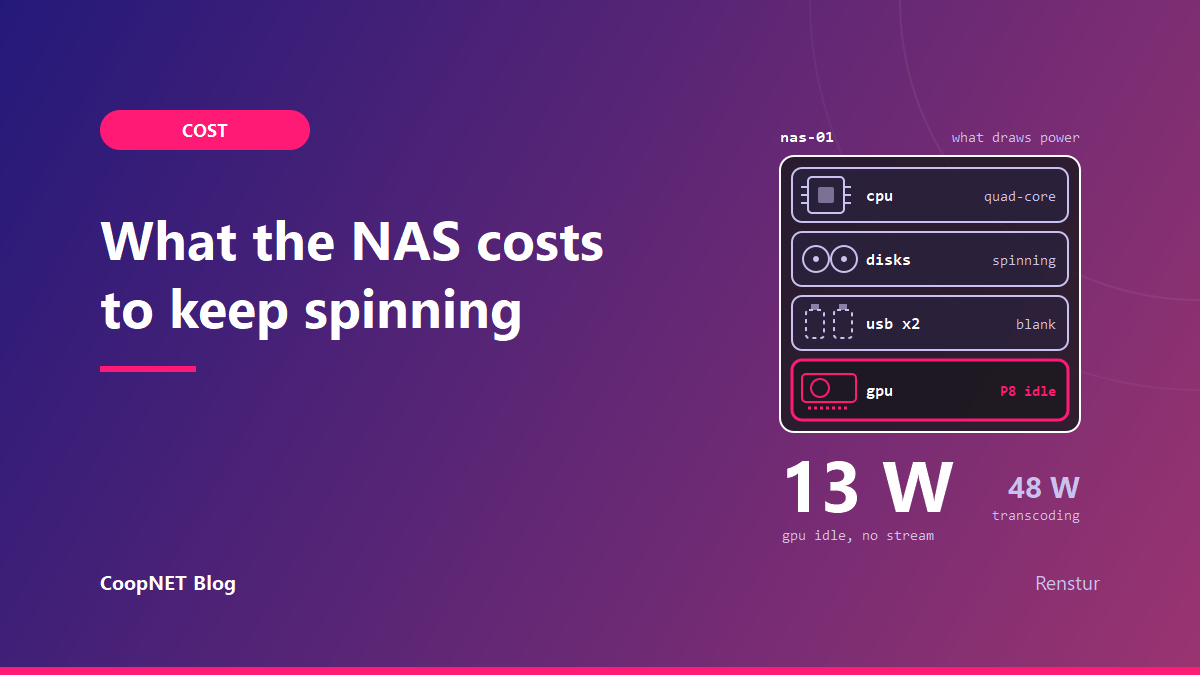
I put a community legacy driver back on. Now nvidia-smi shows it parked at P8 with no stream open, drawing about 13 W. Its performance states run from P0 at full speed down to P12 at the bottom, so P8 is well toward the quiet end. During a transcode it climbs to about 48 W.
13 W around the clock is about 9.5 kWh a month. At 13 cents that's roughly $1.23 a month, or about $15 a year, just for the card to be ready. That's fine for something I use. It wasn't fine when the card was doing nothing at all.
The community driver isn't official, and a TrueNAS update can break it. I keep a rebuild runbook for that. If I were buying today, I'd pick a card the current driver supports.
Why I'm not spinning the disks down
This is where I expected the savings. It's where I found the least.
My apps keep their data on the same spinning pool. Even with nobody streaming, the pool sees a steady trickle of writes, around 130 KB/s of logs and app state. A standby timer never gets the quiet stretch it needs. Either the disks never spin down, or they spin down and wake again minutes later.
Then there's the weekly scrub, which keeps the pool busy for about 15 hours.
Spinning up isn't free either. Drive makers rate their disks for a limited number of load and unload cycles. One of my blank USB drives, a 2.5 inch portable, already shows about 15,700 load cycles in roughly 19,000 hours of power on time. That's what aggressive head parking looks like when nobody's watching it.
For a pool that also hosts its apps, spindown might save a few watts and will cost drive wear. A NAS that only serves files, with apps somewhere else, is a different story. That one can sit idle for hours, and spindown might be worth it.
The cheap wins
None of these involve buying anything.
- Get the GPU driven or get it out. An idle card with a working driver costs about a dollar a month here. An undriven one still draws power and does nothing for it.
- Unplug drives that hold nothing. My two blank USB drives were adding draw and wear for no reason. Give them a job or take them off the hub. I didn't measure each one separately, but pulling them and watching the plug for a day is an easy check.
- Measure again after each change. With the plug in Home Assistant, that's a quick look at a graph.
Consolidation is the bigger lever, and I haven't pulled it. Moving apps off the pool would let the disks rest. That's a project for another evening.
What I'd tell myself
Get the whole box number before touching spindown. Then look for the parts that draw power without doing anything. On my NAS that was a GPU with no driver and two empty USB drives. The disks were the part I planned to fix, and they're the one thing I left alone.
$ ./ask --help
Stuck on something similar? Ask below and I'll try to help you work through it. It helps to include:
- --running hardware, OS, versions
- --tried what you've already tried
- --error the exact message, word for word
Comments are public, so leave out passwords, keys and public IP addresses.